
Rive for character animation
Draw or import your character, then rig and animate it by hand in the Rive Editor. A State Machine makes it react to players. The same file runs in Unity, Unreal, the web, iOS, Android, Flutter, and React Native.

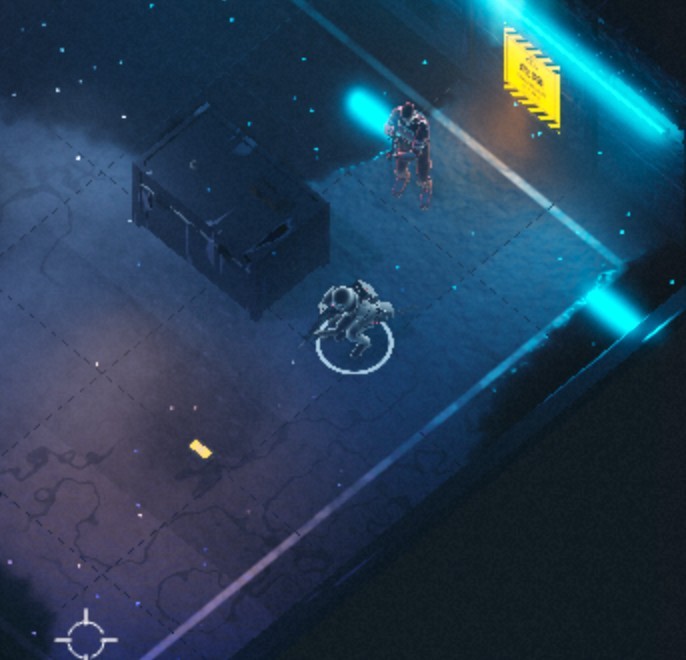
Point to aim. Click or tap to fire.
Luvu
Matt Jedrzejewski built Luvu, the fitness companion in the Luvu app, as a fully rigged Rive character with controls for its eyes, lips, and bounce.
Brilliant’s Koji
Brilliant built Koji, the tutor in its math and coding lessons, as one interactive Rive character.
Duolingo
Duolingo designs its characters and UI in Rive, across its language, math, music, and chess courses.
Snake rig
Rig a skateboarding snake with bones and a mesh, then set its weights with Auto Weights and Smooth Weights.
Menu dinosaur
The dinosaur’s mouth stretches to fit however many menu options there are. The tutorial shows how it’s shaded with Vector Feathering.
Rive Editor
Animators draw, rig, and animate characters by hand in the Rive Editor, with bones, meshes, constraints, a Timeline, and a Graph Editor. One Rive file holds the art, rig, animations, and State Machine.
Rigging
Bones and meshes for vector and raster art, with IK, Auto Trace, and Auto Weights.
Joysticks
Drive head turns, eye looks, and expressions from one handle that scrubs your timelines.
Graph Editor
Shape every curve by hand for anticipation, overshoot, and follow-through.
Audio Events
Key footsteps, voices, and sound effects on the timeline or in State Machine transitions.
Drawing tools
Draw straight into the file with Brush, Pencil, Eraser, and Bucket, with pen pressure.
Flash and Animate import
Rive imports Adobe Animate and Flash files (.fla or XFL) and converts them into Rive files.
Runtimes
Export one .riv file and load it with a Rive runtime. Your code drives the character through Data Binding.
Games
Rive runtimes for Unity and Unreal play the file in your game. Custom engines use the open-source C++ runtime.
Apps and the web
Runtimes for the web, iOS, Android, Flutter, and React Native load the same file in your app or site.
No runtime fees
The runtimes are open source under MIT, with no royalties. Feature support varies by runtime, so check before you ship.
Optional: Rive CLI
Use a coding agent to speed up your workflow. It edits the same file you animate in the Rive Editor, and you can review every change there.
01 Pull your file
With you logged in, your agent downloads your character file from your Rive account with the Rive CLI.
02 Add states and properties
Ask for states, transitions, and view model properties, like a speed property that blends idle, walk, and run.
03 Check the work
Push the changes back and open the file in the Rive Editor. Every state and property the agent made is there to review.
04 Wire up your project
Your agent can add the Rive runtime to your game or app and connect values like health or mood through Data Binding.
FAQ
Common questions about animating characters with Rive.
Can I rig a character without code?
Yes. Skeletal animation is built into the Rive Editor: bones, meshes, IK and other constraints, Auto Weights, the Timeline, and the State Machine.
Can I bring in existing characters?
Yes. Rive imports layered Photoshop files, SVGs, and Adobe Animate and Flash files (.fla and XFL), which it converts into Rive files.
How do I add a character to my game or app?
Load the .riv file with the Rive runtime for Unity, Unreal, the web, iOS, Android, Flutter, or React Native. Your code sets values like speed through Data Binding.
Is Rive free?
You can build and export for free. Free exports play a Rive splash screen, and paid plans from $9 per seat a month remove it. The runtimes are MIT open source, with no runtime fees.
Does Rive train AI on my work?
No. Neither Rive nor its AI provider uses your files or prompts to train AI models, and the provider keeps no copy of your data.
Do I have to use AI?
No. You can draw, rig, animate, and build State Machines by hand in the Rive Editor. The Rive CLI and coding agents are optional.
Join our newsletter
Get all the latest Rive news delivered to your inbox.