

- New Runtime (Recommended)
- Legacy Runtime
There are several ways to load Rive files in your React Native projects using the new runtime:Option 1: using
To make this work, ensure your Then add: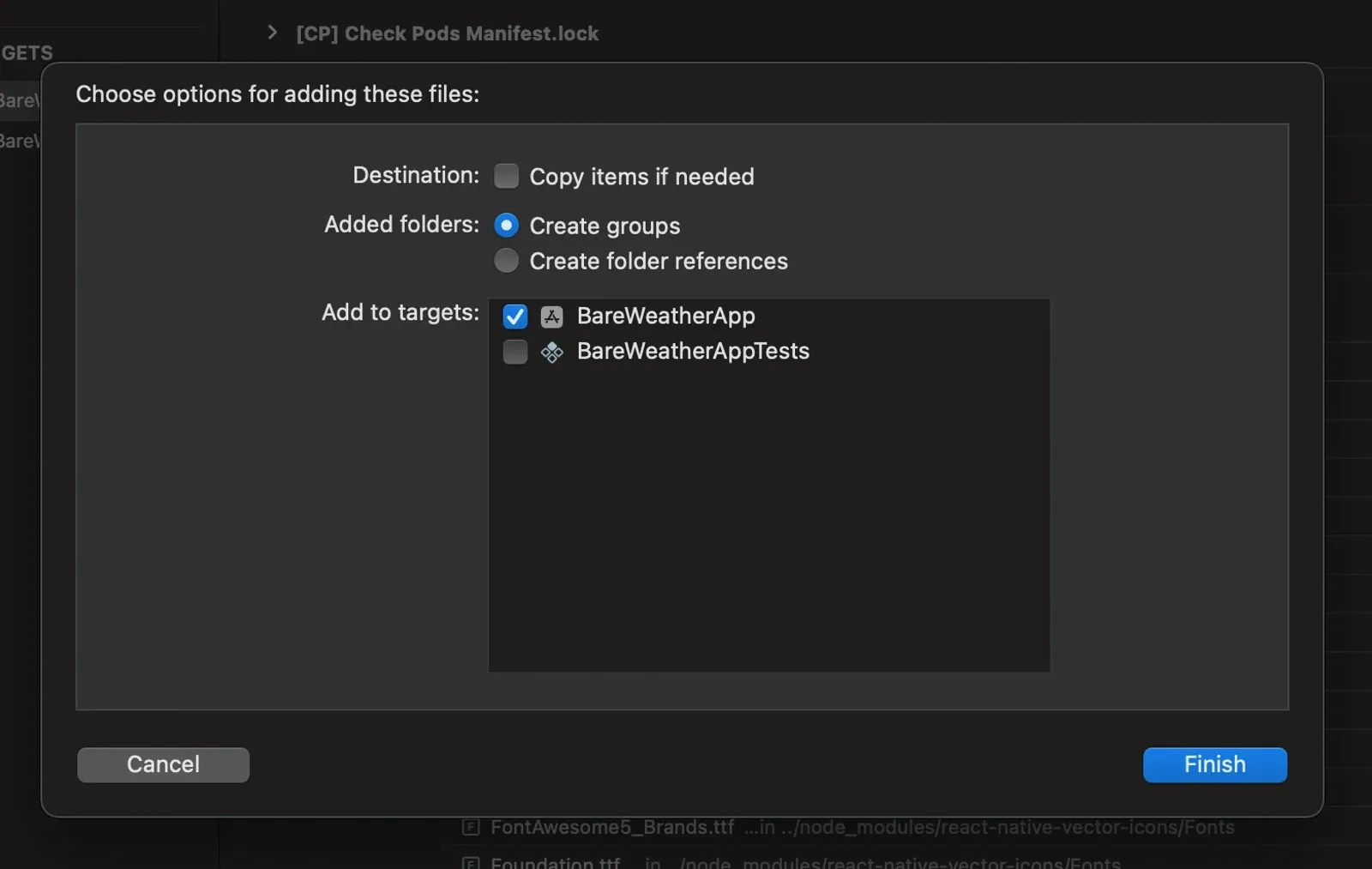
- Option 1: Using
require()- Load files from your project directory (recommended for development and OTA updates) - Option 2: URL - Load files from a remote URL
- Option 3: Resource name - Load files from native asset bundles
- Option 4: ArrayBuffer - Load files from binary data
useRiveFile hook, which returns a RiveFile object that you pass to the RiveView component via the file prop. The hook returns { riveFile, isLoading, error }, where error is an Error object if loading failed.In
0.5.0 and later, the artboard you display must have a state machine. If the artboard has no default state machine, set stateMachineName on RiveView. Files that only contain timeline animations don’t play.Option 1: using require() (recommended)
Loading Rive files using
require() is recommended because it doesn’t require a native rebuild when you update the Rive file. During development, files loaded with require() are served by the Metro development server. When you build your app, the file is automatically bundled into the app’s assets. With Expo, this also enables Over The Air (OTA) updates.metro.config.js supports .riv files.
If you’re using Expo and don’t already have this file, you can generate it with:Option 2: Loading from URL
You can load Rive files from a remote URL (e.g., AWS S3, Google Storage, CDN). Pass the URL as a string starting withhttp:// or https://, or as { uri: '...' }:Option 3: Loading from Resource Name
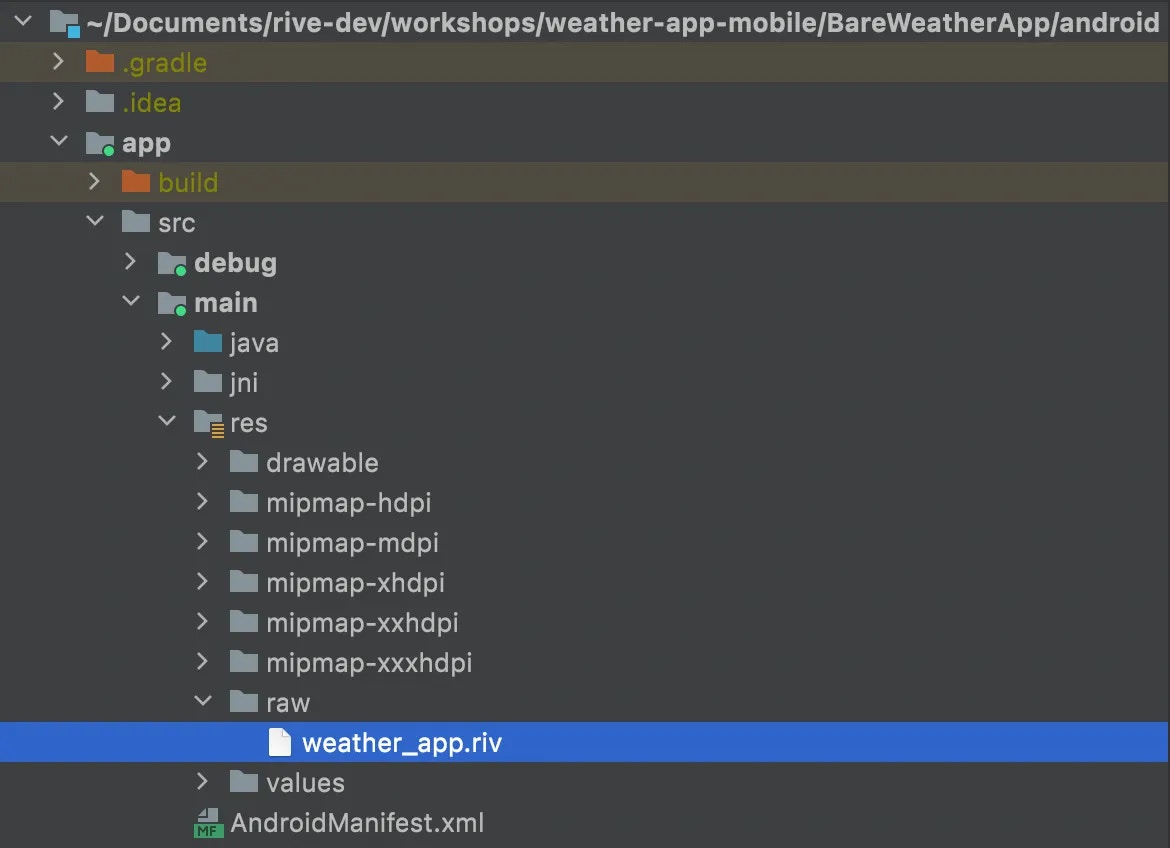
You can load Rive files from native asset bundles by referencing the resource name (without the.riv extension). Any string that doesn’t start with http:// or https:// is treated as a resource name.Adding to iOS
In theios/ folder of your React Native project, open the .xcodeproj file in XCode. This will open up the native iOS project.Create a New Group under the root of this project and give it a name (i.e., Assets). Drop your .riv file into this group, and when prompted by XCode, add it to the Target of your app. This ensures that the Rive file gets included in the bundle resources.Adding to Android
Open theandroid/ folder of your React Native project in Android Studio.Under the /app/src/main/res/ directory, create a new Android Resource Directory, which is where you’ll store Rive file assets. When prompted to select a name for the folder and resource type, select raw from the resource type dropdown. Drop your .riv file into this new folder which ensures that the Rive file gets included in the bundle resources.weather_app.riv to the Android projectOption 4: Loading from ArrayBuffer
You can load Rive files from binary data using anArrayBuffer: