

- States: when the state starts or ends.
- Transitions: when the transition starts or ends.
- Listeners: when the listener fires.
Action types
Align Target
Moves the target object to the pointer’s position. Use it to make an object follow the pointer, such as a custom cursor or a slider handle.- Target: The object to move.
- Preserve offset: Keeps the object’s distance from the pointer when the action starts, instead of snapping its origin to the pointer.
Focus
Moves focus between focusable elements. Choose a mode:- target: Focuses a specific element.
- traverse: Moves focus in a direction: next, previous, up, down, left, or right.
- clear: Removes focus.
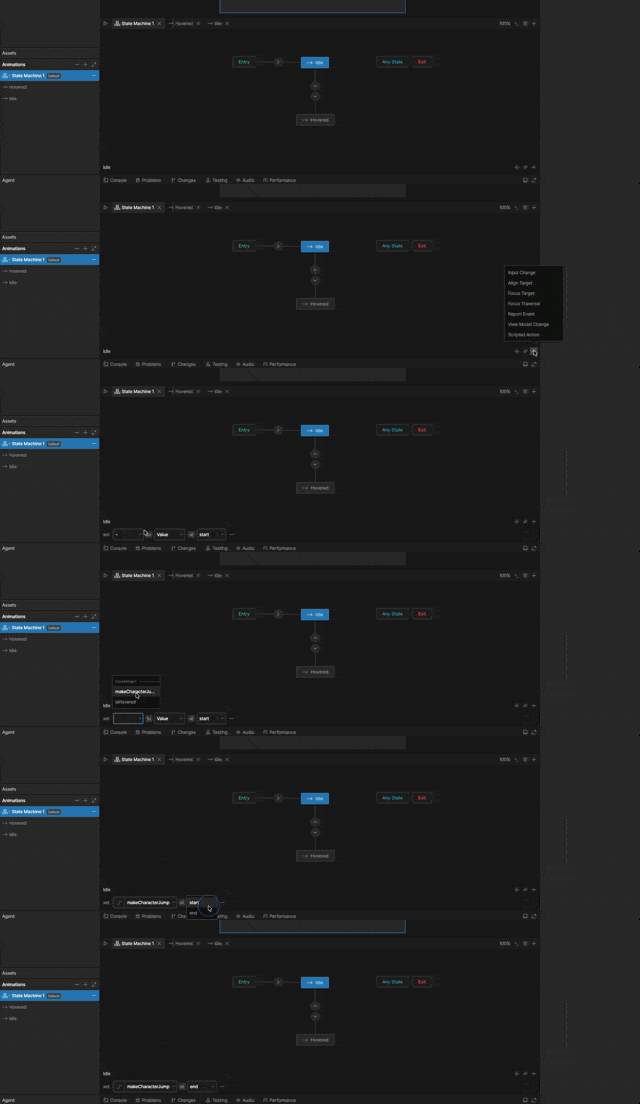
Adding an action to a state or transition
1
Select the state or transition in the graph.
2
In the panel below the graph, click + next to its name and choose an action type.
3
Choose when the action runs: at enter or at exit.
- For a state, enter runs when the state starts and exit runs when the layer leaves it.
- For a transition, enter runs when the transition starts and exit runs when it finishes.
4
Configure the action.
Adding an action to a listener
1
Select the listener in the Listeners panel.
2
In the panel below the graph, click + and choose an action type.
3
Configure the action.