What’s a shader?A shader is a small program that runs on the GPU. GPUs are good at running the same program across many vertices or pixels in parallel, which makes shaders useful for graphics effects.A typical GPU pipeline uses two shader functions:
- Vertex shader - decides where vertices are drawn.
- Fragment shader - decides the color of each pixel covered by those vertices.
Creating a shader
Create a new script, select WGSL Shader as the type, and name itBasicShader.
The AI Agent can be a helpful way to create or iterate on shader code. Describe the effect you want, then review and test the generated WGSL in your file.
Basic WGSL shader
This shader draws a single large triangle that covers the render target. The parts of the triangle outside the render target are clipped, leaving the entire target covered. This is a common technique called a fullscreen triangle. The fragment shader then colors each pixel with a gradient. No vertex or index buffers are needed because the triangle’s vertices are defined directly in the shader.
Rendering a shader with a Script
Uniforms
Uniforms pass values from a script into a shader, allowing the shader to respond to values that change at runtime. You can use uniforms for values such as colors, opacity, time, or animation parameters. Define the uniform data in your WGSL shader, then assign it to a bind group and binding. Bind groups organize the resources passed into a shader, while bindings identify individual resources within each group:GPUBuffer containing the uniform data and add it to a GPUBindGroup. The bind group and slot must match the @group and @binding values declared in the shader.
Bind the group to the render pass before drawing. When a uniform changes, write the new value to its buffer to make it available to the shader. Uniform values can come from script inputs, allowing them to be configured in the Editor, animated, or controlled with data binding.
Textures
Textures let shaders read image data. A shader samples a texture at a set of coordinates to get the color at that location, which it can use or modify when calculating its output. To use a texture in WGSL, define a texture and sampler:textureSample to read a color from the texture at a set of UV coordinates:
0 to 1 on each axis. For example, (0, 0) represents one corner of the texture and (1, 1) the opposite corner.
On the script side, add a GPUTextureView and GPUSampler to a GPUBindGroup. Their slots must match the @binding values declared in the shader.
Using an Artboard as a texture
Shaders sample textures, not Rive artboards directly. To apply a shader to an artboard, first render the artboard to an offscreen canvas:srcCanvas.image:view() to obtain a GPUTextureView, then add that view to the shader’s GPUBindGroup. Redraw the artboard to the canvas as it changes to keep the texture up to date.
The linked Marketplace example uses this technique to render an artboard through a shader that distorts its texture coordinates with animated noise.
Shader targets
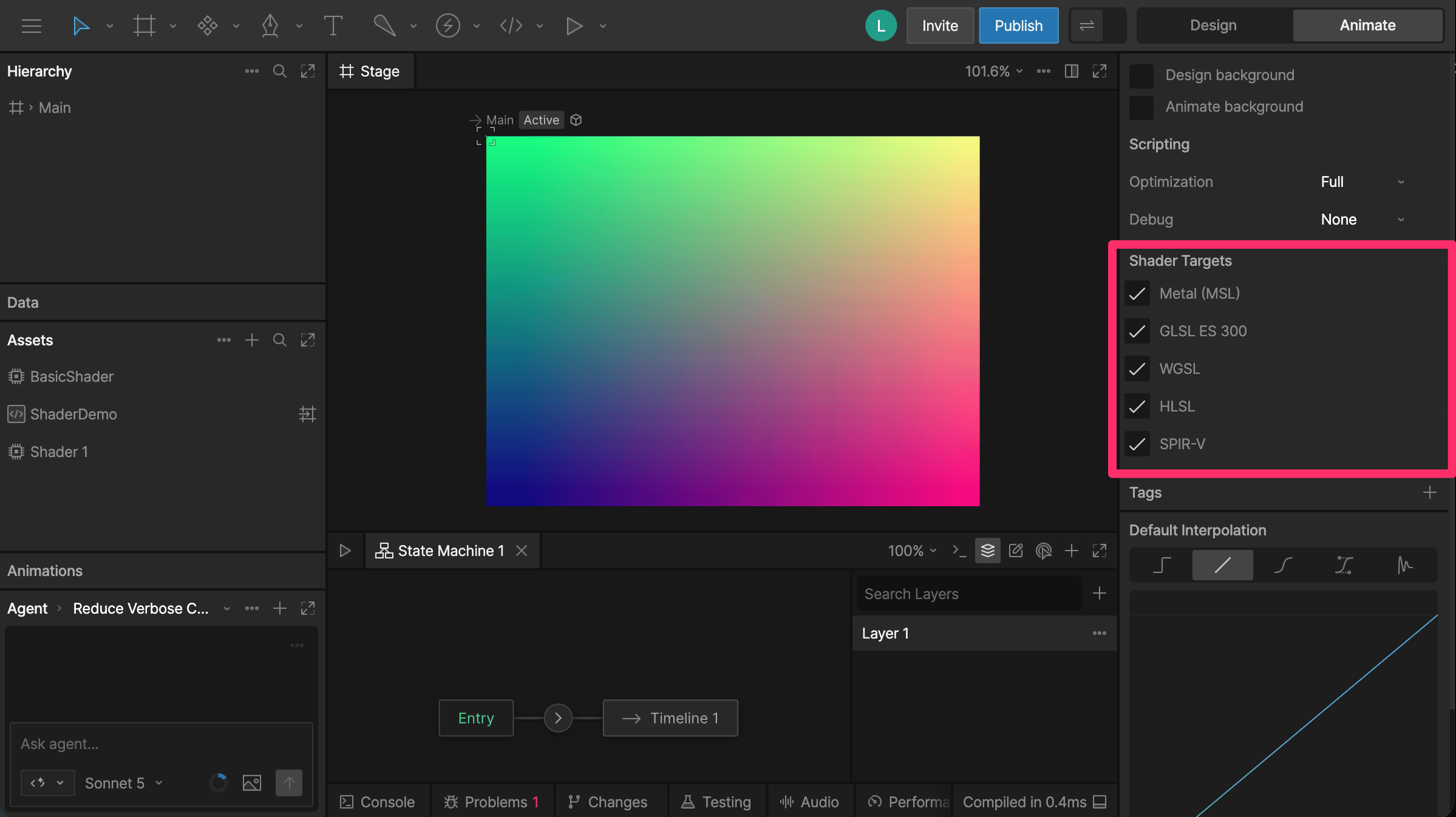
Rive shaders are authored in WGSL. When you export your file, Rive compiles each shader for the selected targets and includes those variants in the.riv file. The original WGSL source isn’t included.
When nothing is selected in the editor, the Inspector shows file-level Shader Targets options. Select the targets required by the runtimes and platforms where your file will be used:
- Metal (MSL)
- GLSL ES 300
- WGSL
- HLSL
- SPIR-V