Creating a Path Effect
Create a new script and select Path Effect as the type.Examples
Anatomy of a Path Effect Script
Methods
- init (optional) Called once when the path effect is created. Use this to set up initial state. Returns true if initialization succeeds.
- update (required)
The core method where path transformation happens. Receives the original
PathDataand returns a modified version. This is where you manipulate the path’s geometry. - advance (optional) Called every frame with elapsed time in seconds. Returns true to continue receiving advance calls. Useful for animated effects that change over time.
Working with PathData
PathData provides access to a path’s drawing commands (moveTo, lineTo, cubicTo, quadTo, close). You can:
- Read existing commands using indexing
- Get the command count with
#pathData - Create new paths and add commands
- Use measurement tools like
contours()andmeasure()for advanced operations
If a Path Effect script changes over time, call
markNeedsUpdate() on the effect context from advance(). This tells Rive to recalculate the effect on the next frame, even when the source path itself has not changed.Without this, the effect may appear to freeze because Rive has no signal that the path output is changing. This is especially important for animated path effects inside nested components, where the source path may remain static while the script continues updating its own internal values.Adding the scripted Path Effect to a Stroke
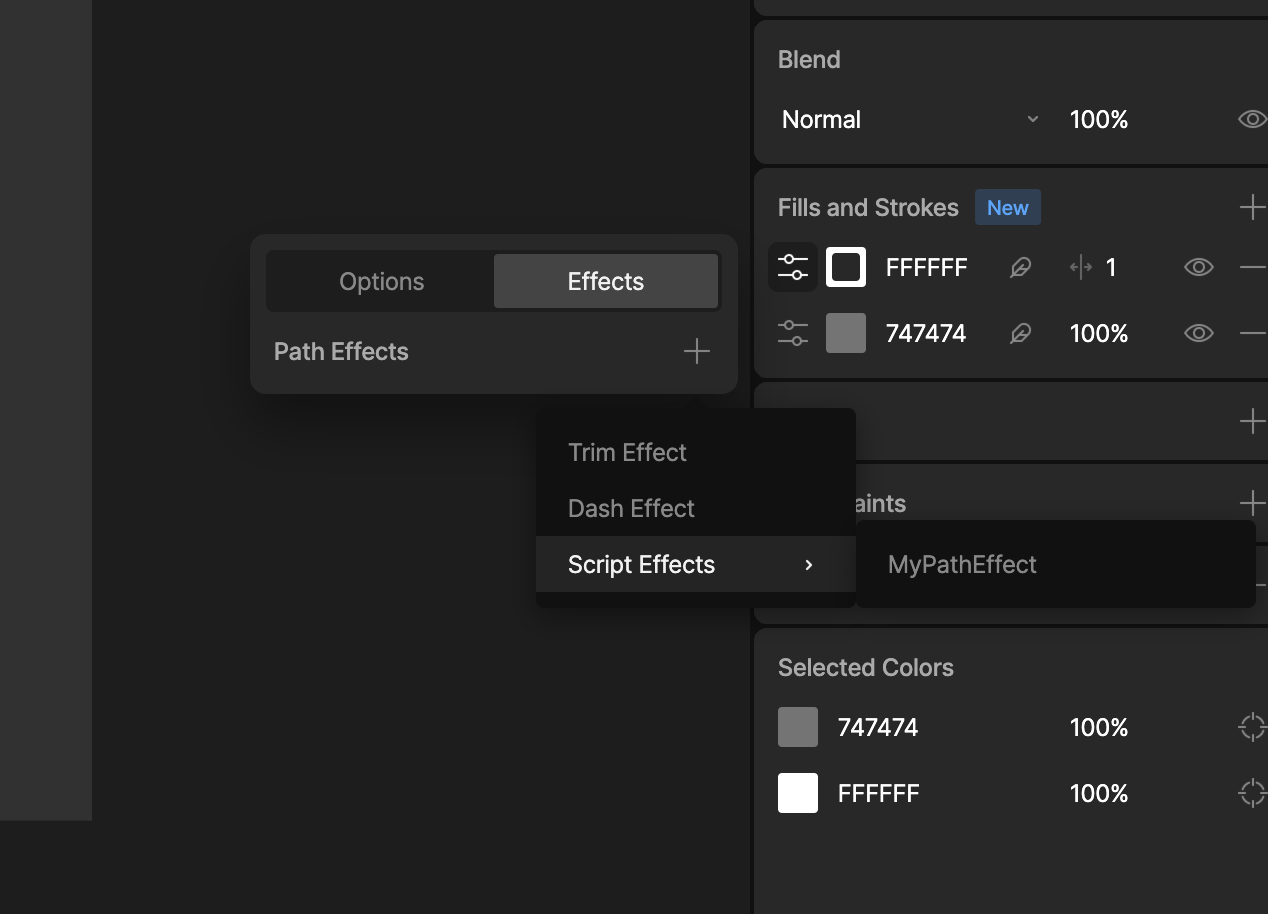
Select or add a stroke to a shape:- Open the Options menu.
- Select the Effects Tab and click the ’+’ to add an effect.
- Find your effects under the Script Effects menu option.
- Any inputs you have defined will apepar and can be edited here.