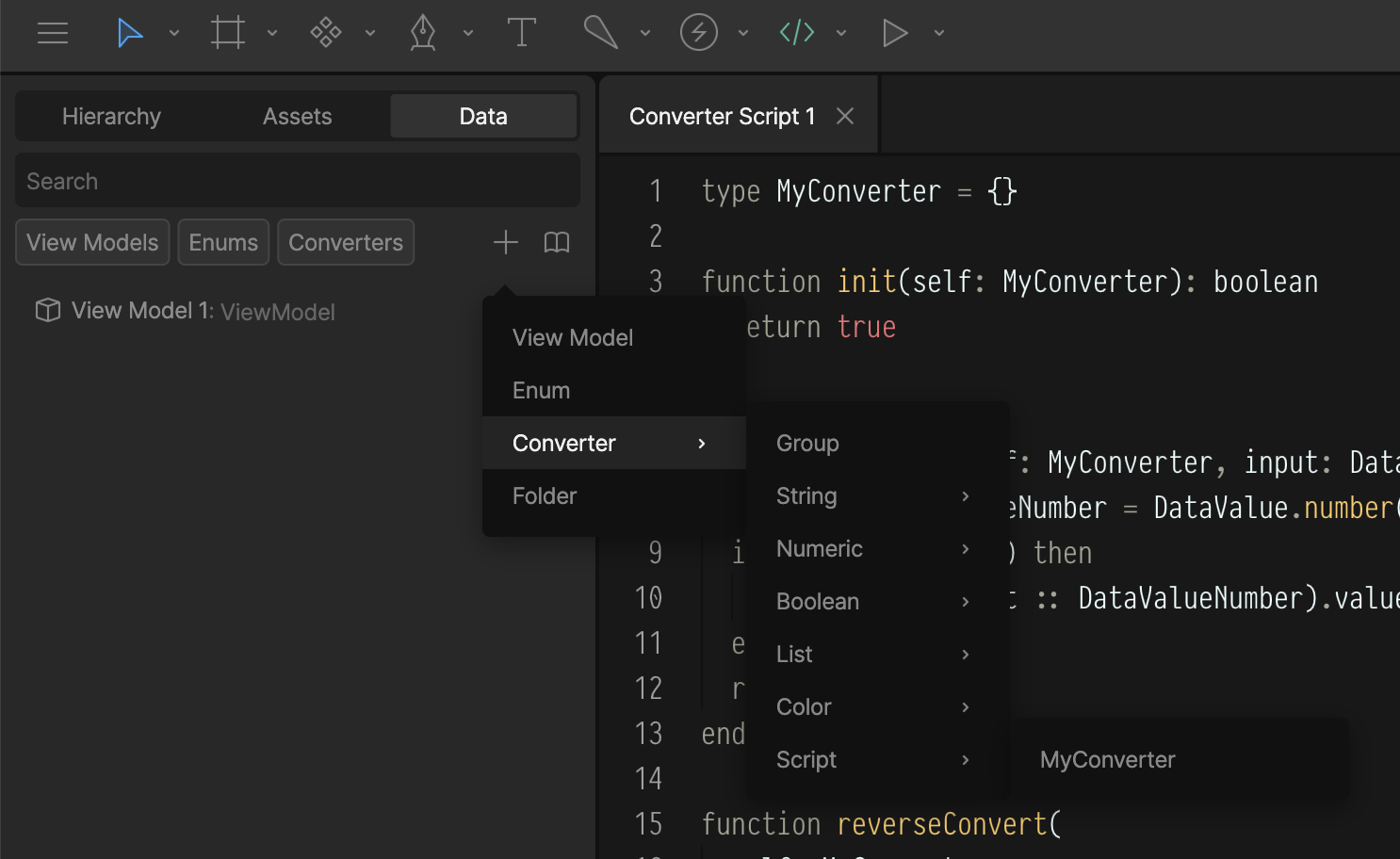
type MyConverter = {}

-- Called once when the script initializes.
function init(self: MyConverter): boolean
  return true
end

-- Converts the property value.
function convert(self: MyConverter, input: DataInputs): DataOutput
  local dv: DataValueNumber = DataValue.number()

  if input:isNumber() then
    dv.value = (input :: DataValueNumber).value + 1
  else
    dv.value = 0 -- 0 if input is not a number
  end

  return dv
end

-- For 2-way data binding, converts the target value back to the source
function reverseConvert(self: MyConverter, input: DataOutput): DataInputs
  local dv: DataValueNumber = DataValue.number()

  if input:isNumber() then
    -- Example: Subtract 1 from the target number
    dv.value = (input :: DataValueNumber).value - 1
  else
    dv.value = 0 -- 0 if target is not a number
  end

  return dv
end

-- Return a factory function that builds the converter instance.
-- Rive calls this when the script is created, passing back a table
-- containing its lifecycle functions and any default values.
return function(): Converter<MyConverter, DataValueNumber, DataValueNumber>
  return {
    init = init,
    convert = convert,
    reverseConvert = reverseConvert,
  }
end