Rive Blog

Rive for Unity: Updated and in the Unity Asset Store

Production-ready, interactive 2D UI built in Rive, shipped in Unity.

-

Thursday, January 15, 2026

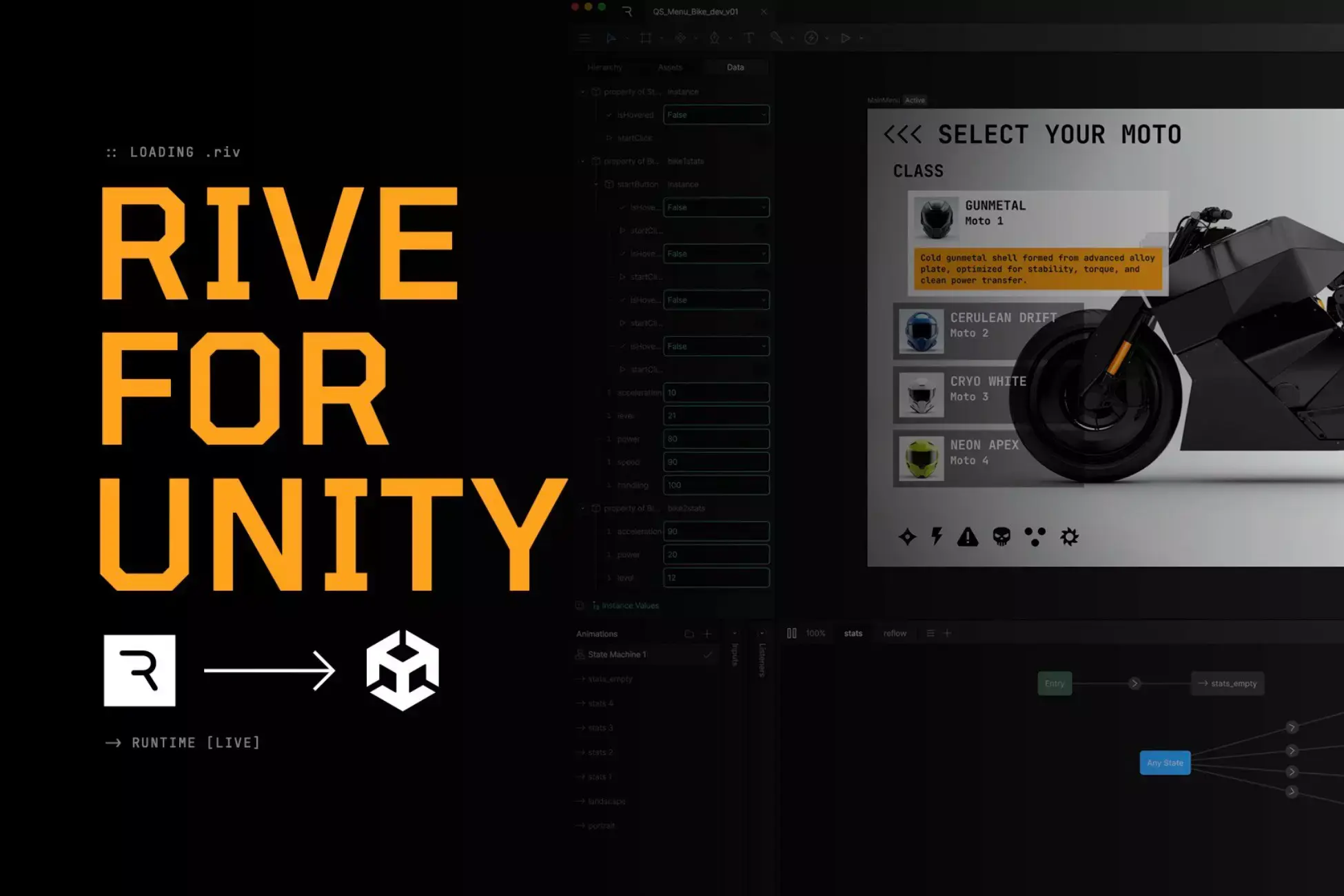
Rive for Unity is now available in the Unity Asset Store. Now you can install it like a typical Unity package. 

This release also fills in some key missing pieces for teams building real game UI. Now you have responsive layouts, reusable components, virtualization-friendly scrolling, Data Binding, and support for both vector and raster assets. All run on our custom-built Rive Renderer, so complex UI remains performant. Coming up next? Scripting.

If you’ve been using Rive in Unity, you already know the drill. You build interactive UI in the Rive Editor, ship a .riv file, and drive it from C# at runtime. (If you missed our March 2024 Unity runtime update, that post is still a good foundation.)

What’s changed is how you install the runtime, and what you can expect from it once it’s in your project. 

Meeting Unity developers on their turf

Asset Store distribution makes getting started refreshingly normal. Install from the Unity Asset Store, update it like any other package, and keep your project setup consistent across the team. 

If you prefer tracking runtime changes closer to the source, you can still get the latest from GitHub. For most teams, the Asset Store install is the right default.

What you can build: 2D UI systems

Rive brings production-ready, interactive UI to Unity. The kind of UI that grows over time and gets messy fast if your pipeline can’t keep up:

  • Main menus and navigation

  • HUDs and in-game overlays

  • Loadouts, inventories, and collection views

  • Matchmaking and lobby flows

Rive UI is designed to be responsive, scalable, and localizable, so you’re not rebuilding layout logic or re-exporting assets every time the product changes shape. 

The workflow remains straightforward

Run Rive files natively in Unity, driven cleanly from C#. 

  1. Build your UI and interactions in the Rive Editor 


  1. Export a .riv file


  1. Import it into Unity (drag-and-drop like any other asset)


  1. Drive it from C# at runtime 

From there, developers control behavior through code. 

What’s new in this release

We’ve added features to help uplevel your game UI in Unity.

Vector and raster assets

Sometimes you need vector. Sometimes you need raster. And sometimes you need both. This article helps you decide. The Unity runtime supports all choices. 

Layouts + N-Slicing

Build UI that adapts to different resolutions and screen sizes without turning into a pile of special cases.

Text

Rive supports perfectly antialiased text, plus the other things game UI tends to require:

  • Data binding

  • Localization

  • Animation

Scrolling with virtualization

For long lists, virtualization matters. Now you can handle large content sets without paying a performance tax for everything offscreen.

Dynamic lists 

Inventories, catalogs, collections, loadouts: dynamic lists are built for large amounts of content that change at runtime. 

Component Libraries for scalable systems

Use Libraries to build reusable UI parts and keep design systems consistent across menus, overlays, and screens

Skeletal animation

Animate 2D characters inside your UI layer.

Modern Rive feature support

Unity supports core Rive workflows and newer features, including Vector Feathering, Data Binding, State Machines, and more. 

Coming soon

What we’re actively pushing toward: 

Texture compression support

If your UI leans heavily on raster assets, texture compression becomes a real lever for memory and performance. It’s not included in this release yet, but it’s an important next step for larger, asset-heavy interfaces. 

Scripting support

Rive Scripting is rolling out across the platform. Once it’s broadly available, Unity support follows the same philosophy as everything else here. You’ll author behavior in Rive, then drive it cleanly from C#. 

Console support

Shipping UI to console has its own set of constraints: platform SDKs, input standards, performance targets, and build pipelines that don’t behave like desktop or mobile. We’re working toward first-class console support so you can the same Rive file across console builds with fewer workarounds and more predictable behavior.

Text input

We’re building text input support so players can type, edit, and submit text in Rive UI inside Unity. 

Improved key and gamepad detection

We’re improving key and gamepad detection so you can reliably switch prompts, focus states, and navigation behaviors based on the active input device.

Get started

If you’re building game UI in Unity, the quickest way to get rolling is to install the runtime from the Asset Store, drop a .riv into your project, and wire up a few inputs from C#. You’ll be animating menus, HUDs, and lists that actually respond to your game state in minutes — not days.

Rive for Unity is now available in the Unity Asset Store. Now you can install it like a typical Unity package. 

This release also fills in some key missing pieces for teams building real game UI. Now you have responsive layouts, reusable components, virtualization-friendly scrolling, Data Binding, and support for both vector and raster assets. All run on our custom-built Rive Renderer, so complex UI remains performant. Coming up next? Scripting.

If you’ve been using Rive in Unity, you already know the drill. You build interactive UI in the Rive Editor, ship a .riv file, and drive it from C# at runtime. (If you missed our March 2024 Unity runtime update, that post is still a good foundation.)

What’s changed is how you install the runtime, and what you can expect from it once it’s in your project. 

Meeting Unity developers on their turf

Asset Store distribution makes getting started refreshingly normal. Install from the Unity Asset Store, update it like any other package, and keep your project setup consistent across the team. 

If you prefer tracking runtime changes closer to the source, you can still get the latest from GitHub. For most teams, the Asset Store install is the right default.

What you can build: 2D UI systems

Rive brings production-ready, interactive UI to Unity. The kind of UI that grows over time and gets messy fast if your pipeline can’t keep up:

  • Main menus and navigation

  • HUDs and in-game overlays

  • Loadouts, inventories, and collection views

  • Matchmaking and lobby flows

Rive UI is designed to be responsive, scalable, and localizable, so you’re not rebuilding layout logic or re-exporting assets every time the product changes shape. 

The workflow remains straightforward

Run Rive files natively in Unity, driven cleanly from C#. 

  1. Build your UI and interactions in the Rive Editor 


  1. Export a .riv file


  1. Import it into Unity (drag-and-drop like any other asset)


  1. Drive it from C# at runtime 

From there, developers control behavior through code. 

What’s new in this release

We’ve added features to help uplevel your game UI in Unity.

Vector and raster assets

Sometimes you need vector. Sometimes you need raster. And sometimes you need both. This article helps you decide. The Unity runtime supports all choices. 

Layouts + N-Slicing

Build UI that adapts to different resolutions and screen sizes without turning into a pile of special cases.

Text

Rive supports perfectly antialiased text, plus the other things game UI tends to require:

  • Data binding

  • Localization

  • Animation

Scrolling with virtualization

For long lists, virtualization matters. Now you can handle large content sets without paying a performance tax for everything offscreen.

Dynamic lists 

Inventories, catalogs, collections, loadouts: dynamic lists are built for large amounts of content that change at runtime. 

Component Libraries for scalable systems

Use Libraries to build reusable UI parts and keep design systems consistent across menus, overlays, and screens

Skeletal animation

Animate 2D characters inside your UI layer.

Modern Rive feature support

Unity supports core Rive workflows and newer features, including Vector Feathering, Data Binding, State Machines, and more. 

Coming soon

What we’re actively pushing toward: 

Texture compression support

If your UI leans heavily on raster assets, texture compression becomes a real lever for memory and performance. It’s not included in this release yet, but it’s an important next step for larger, asset-heavy interfaces. 

Scripting support

Rive Scripting is rolling out across the platform. Once it’s broadly available, Unity support follows the same philosophy as everything else here. You’ll author behavior in Rive, then drive it cleanly from C#. 

Console support

Shipping UI to console has its own set of constraints: platform SDKs, input standards, performance targets, and build pipelines that don’t behave like desktop or mobile. We’re working toward first-class console support so you can the same Rive file across console builds with fewer workarounds and more predictable behavior.

Text input

We’re building text input support so players can type, edit, and submit text in Rive UI inside Unity. 

Improved key and gamepad detection

We’re improving key and gamepad detection so you can reliably switch prompts, focus states, and navigation behaviors based on the active input device.

Get started

If you’re building game UI in Unity, the quickest way to get rolling is to install the runtime from the Asset Store, drop a .riv into your project, and wire up a few inputs from C#. You’ll be animating menus, HUDs, and lists that actually respond to your game state in minutes — not days.

Rive for Unity is now available in the Unity Asset Store. Now you can install it like a typical Unity package. 

This release also fills in some key missing pieces for teams building real game UI. Now you have responsive layouts, reusable components, virtualization-friendly scrolling, Data Binding, and support for both vector and raster assets. All run on our custom-built Rive Renderer, so complex UI remains performant. Coming up next? Scripting.

If you’ve been using Rive in Unity, you already know the drill. You build interactive UI in the Rive Editor, ship a .riv file, and drive it from C# at runtime. (If you missed our March 2024 Unity runtime update, that post is still a good foundation.)

What’s changed is how you install the runtime, and what you can expect from it once it’s in your project. 

Meeting Unity developers on their turf

Asset Store distribution makes getting started refreshingly normal. Install from the Unity Asset Store, update it like any other package, and keep your project setup consistent across the team. 

If you prefer tracking runtime changes closer to the source, you can still get the latest from GitHub. For most teams, the Asset Store install is the right default.

What you can build: 2D UI systems

Rive brings production-ready, interactive UI to Unity. The kind of UI that grows over time and gets messy fast if your pipeline can’t keep up:

  • Main menus and navigation

  • HUDs and in-game overlays

  • Loadouts, inventories, and collection views

  • Matchmaking and lobby flows

Rive UI is designed to be responsive, scalable, and localizable, so you’re not rebuilding layout logic or re-exporting assets every time the product changes shape. 

The workflow remains straightforward

Run Rive files natively in Unity, driven cleanly from C#. 

  1. Build your UI and interactions in the Rive Editor 


  1. Export a .riv file


  1. Import it into Unity (drag-and-drop like any other asset)


  1. Drive it from C# at runtime 

From there, developers control behavior through code. 

What’s new in this release

We’ve added features to help uplevel your game UI in Unity.

Vector and raster assets

Sometimes you need vector. Sometimes you need raster. And sometimes you need both. This article helps you decide. The Unity runtime supports all choices. 

Layouts + N-Slicing

Build UI that adapts to different resolutions and screen sizes without turning into a pile of special cases.

Text

Rive supports perfectly antialiased text, plus the other things game UI tends to require:

  • Data binding

  • Localization

  • Animation

Scrolling with virtualization

For long lists, virtualization matters. Now you can handle large content sets without paying a performance tax for everything offscreen.

Dynamic lists 

Inventories, catalogs, collections, loadouts: dynamic lists are built for large amounts of content that change at runtime. 

Component Libraries for scalable systems

Use Libraries to build reusable UI parts and keep design systems consistent across menus, overlays, and screens

Skeletal animation

Animate 2D characters inside your UI layer.

Modern Rive feature support

Unity supports core Rive workflows and newer features, including Vector Feathering, Data Binding, State Machines, and more. 

Coming soon

What we’re actively pushing toward: 

Texture compression support

If your UI leans heavily on raster assets, texture compression becomes a real lever for memory and performance. It’s not included in this release yet, but it’s an important next step for larger, asset-heavy interfaces. 

Scripting support

Rive Scripting is rolling out across the platform. Once it’s broadly available, Unity support follows the same philosophy as everything else here. You’ll author behavior in Rive, then drive it cleanly from C#. 

Console support

Shipping UI to console has its own set of constraints: platform SDKs, input standards, performance targets, and build pipelines that don’t behave like desktop or mobile. We’re working toward first-class console support so you can the same Rive file across console builds with fewer workarounds and more predictable behavior.

Text input

We’re building text input support so players can type, edit, and submit text in Rive UI inside Unity. 

Improved key and gamepad detection

We’re improving key and gamepad detection so you can reliably switch prompts, focus states, and navigation behaviors based on the active input device.

Get started

If you’re building game UI in Unity, the quickest way to get rolling is to install the runtime from the Asset Store, drop a .riv into your project, and wire up a few inputs from C#. You’ll be animating menus, HUDs, and lists that actually respond to your game state in minutes — not days.

Join our newsletter

Get all the latest Rive news delivered to your inbox.