

MCP integration is currently available only in the desktop Editor for Windows and macOS.
Supported features
- Create and manage Rive files — add, rename, resize, arrange, and focus artboards.
- Inspect and edit the scene — query hierarchies, select objects, update properties, rename, duplicate, reorder, reparent, or delete elements.
- Build designs — create shapes, paths, layouts, component instances, component lists, and asset-based elements.
- Create animation and interaction — edit linear animations, state machines, states, transitions, conditions, keyframes, and interpolation.
- Work with data binding — create view models, properties, instances, bindings, and custom property groups.
- Edit scripts and shaders — manage Luau scripts and WGSL shaders, update source code, run diagnostics, recompile, test, search code, and read console output.
This list of features will evolve over time as more tools are added.
Installation
Using Cursor
1
Open Rive
Install and open the latest version of the Rive desktop app for Mac or Windows.
2
Set up Cursor
Create a Cursor account and install the app.
3
Open Cursor settings
Open Cursor and navigate to the settings panel in the top right corner.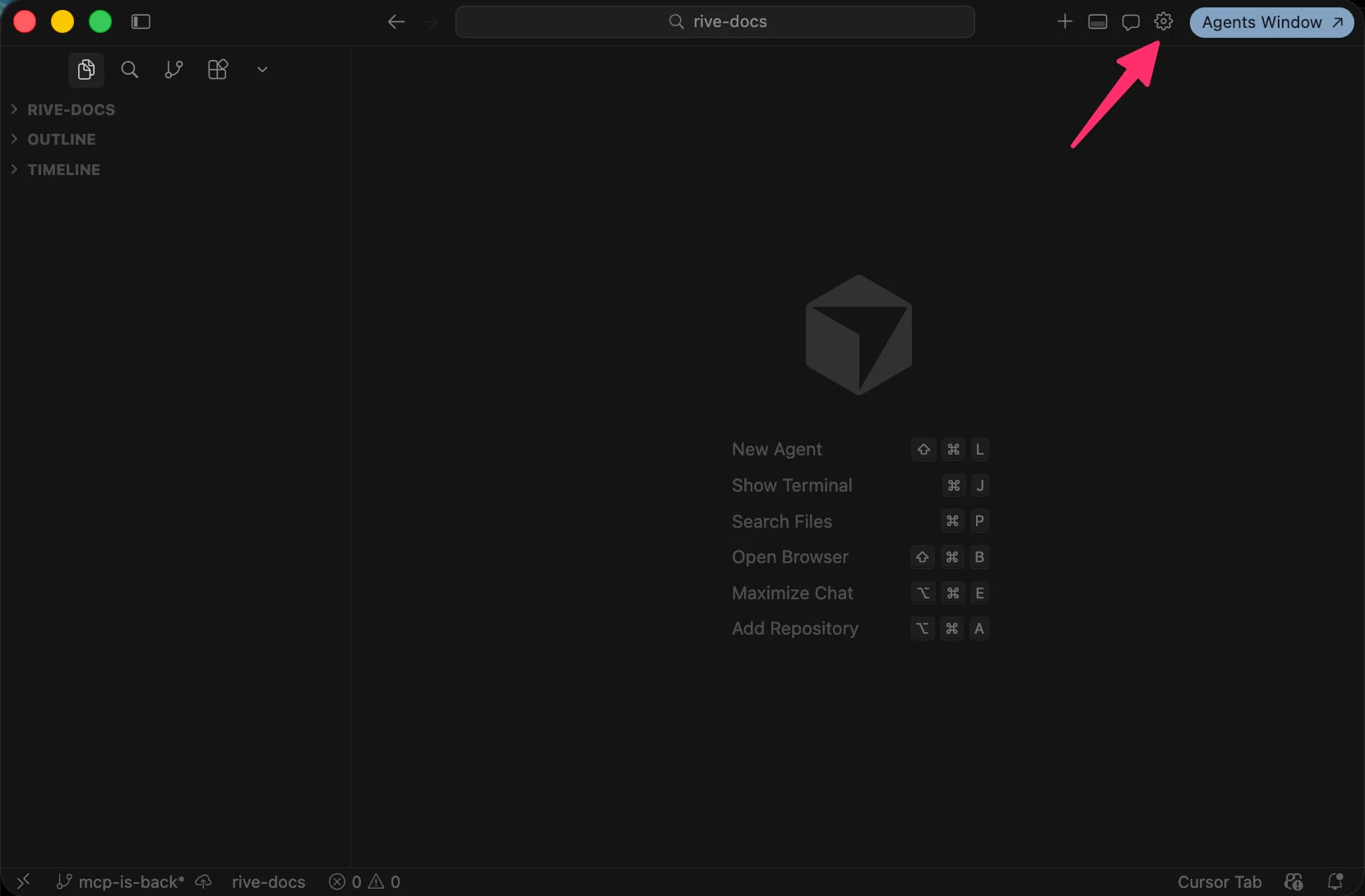
4
Add custom MCP
Open the Tools & MCPs tab and click Add Custom MCP.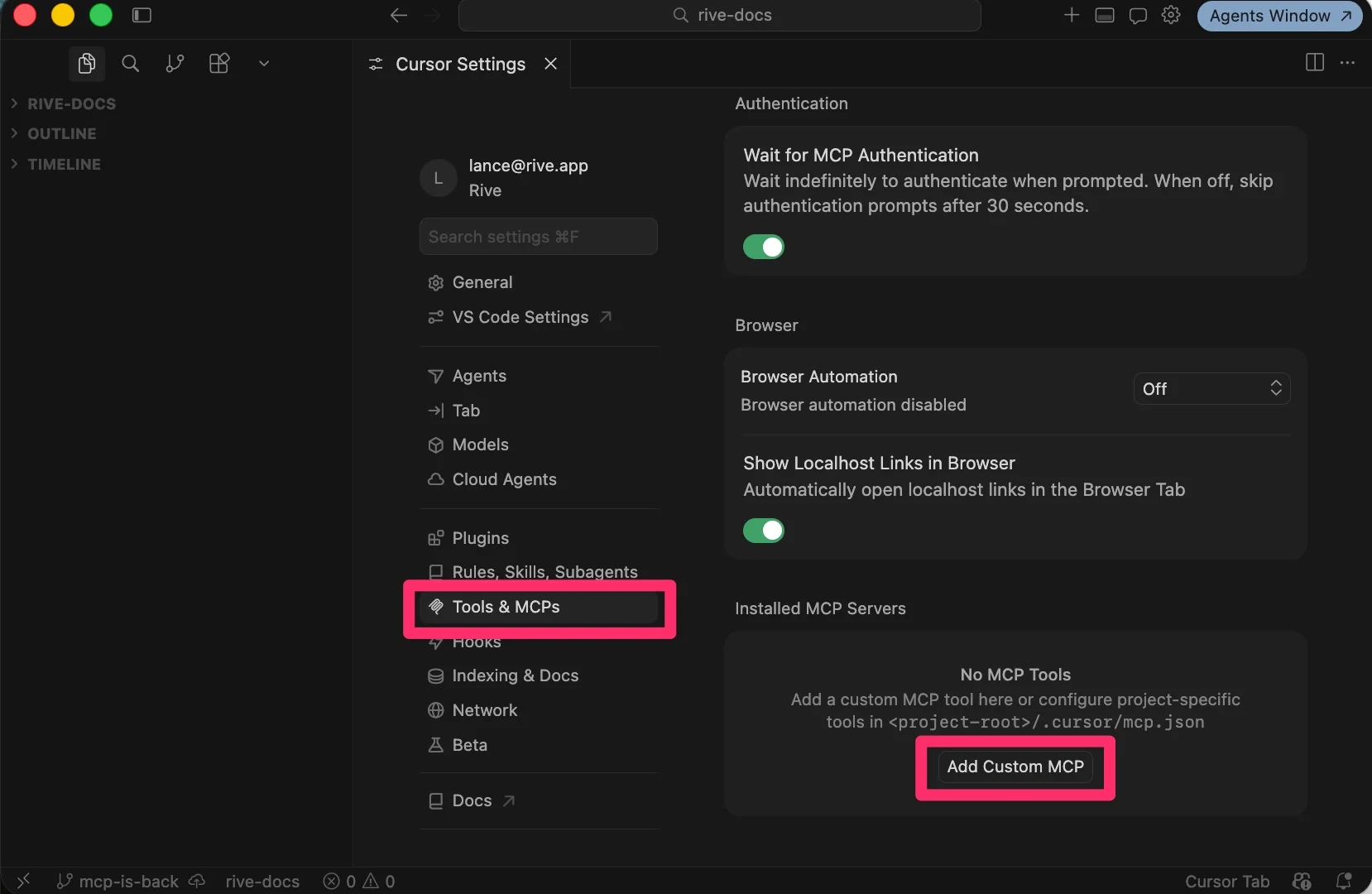
5
Save the configuration
Save the following JSON snippet to your computer as
mcp.json.6
Enable connection
Turn the MCP connection
On7
Verify connection
If everything was installed correctly, you should see Rive as an available MCP server.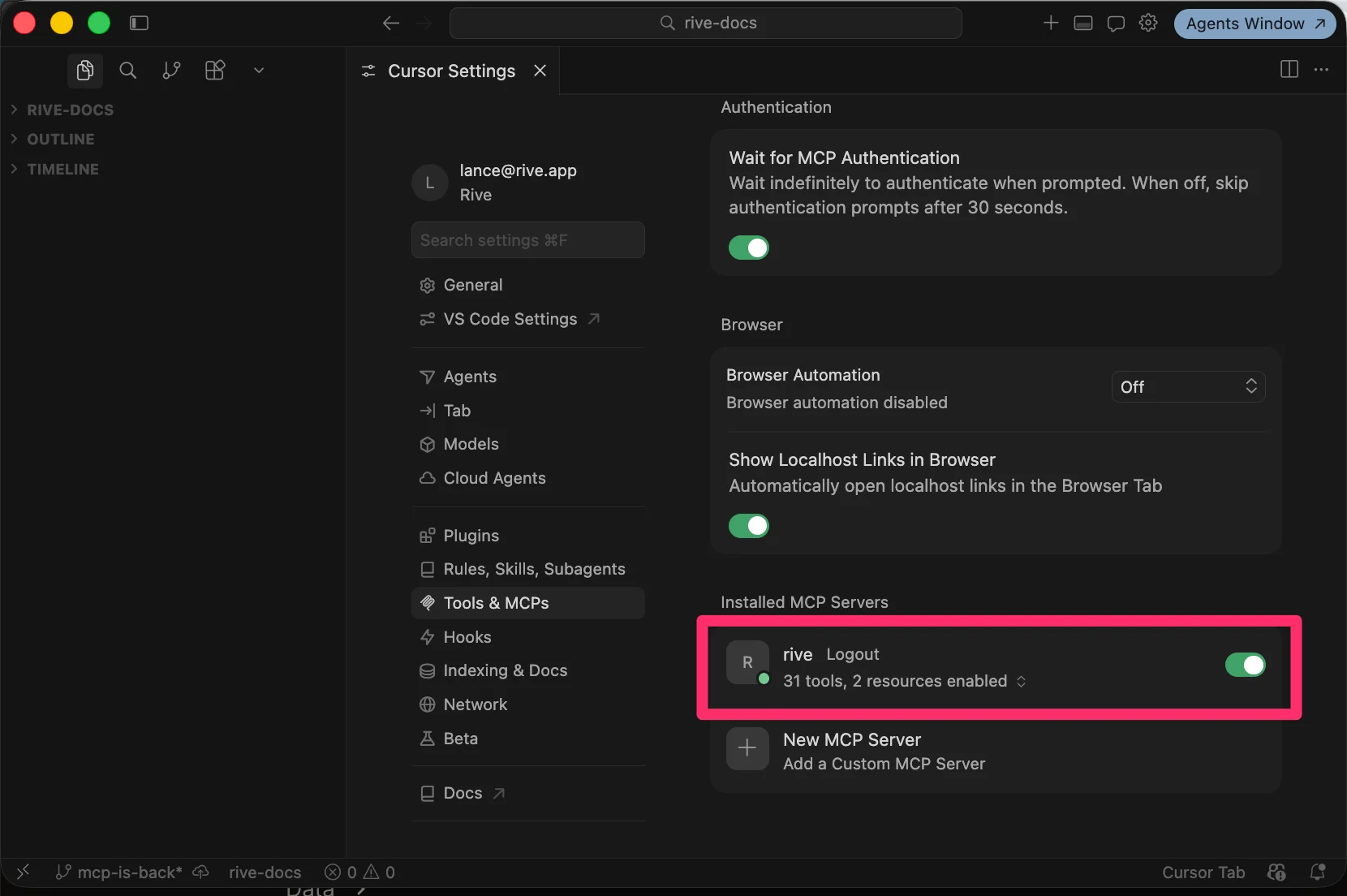
For the Rive server to be available, you must have the Rive Early Access app opened.
Using Claude in Terminal
1
Open Rive
Install and open the latest version of the Rive desktop app for macOS or Windows.
2
Add the MCP server
Run the following command in your terminal:
3
Start Claude
Run Claude and follow the prompts:
What can it do?
Once Cursor is installed and everything is set up correctly, it’s time to start prompting the AI.1
Open your Rive file
Have a Rive File open and an Artboard created.
2
Enter your prompt
Type your prompt into the chat UI and hit enter. The AI will take a moment to process the request.Example prompt:
3
Complete the interaction
Once the request has been processed, type End Prompt to allow the AI to make changes to the Rive file.