> ## Documentation Index
> Fetch the complete documentation index at: https://rive.app/docs/llms.txt
> Use this file to discover all available pages before exploring further.
# Meshes
> Meshes are an excellent way to add natural and organic deformations to raster graphics. Make skin flex, fabric ripple, hair flow, and more.
## Add Mesh
Before you can create any deformations, you'll need to add a mesh.
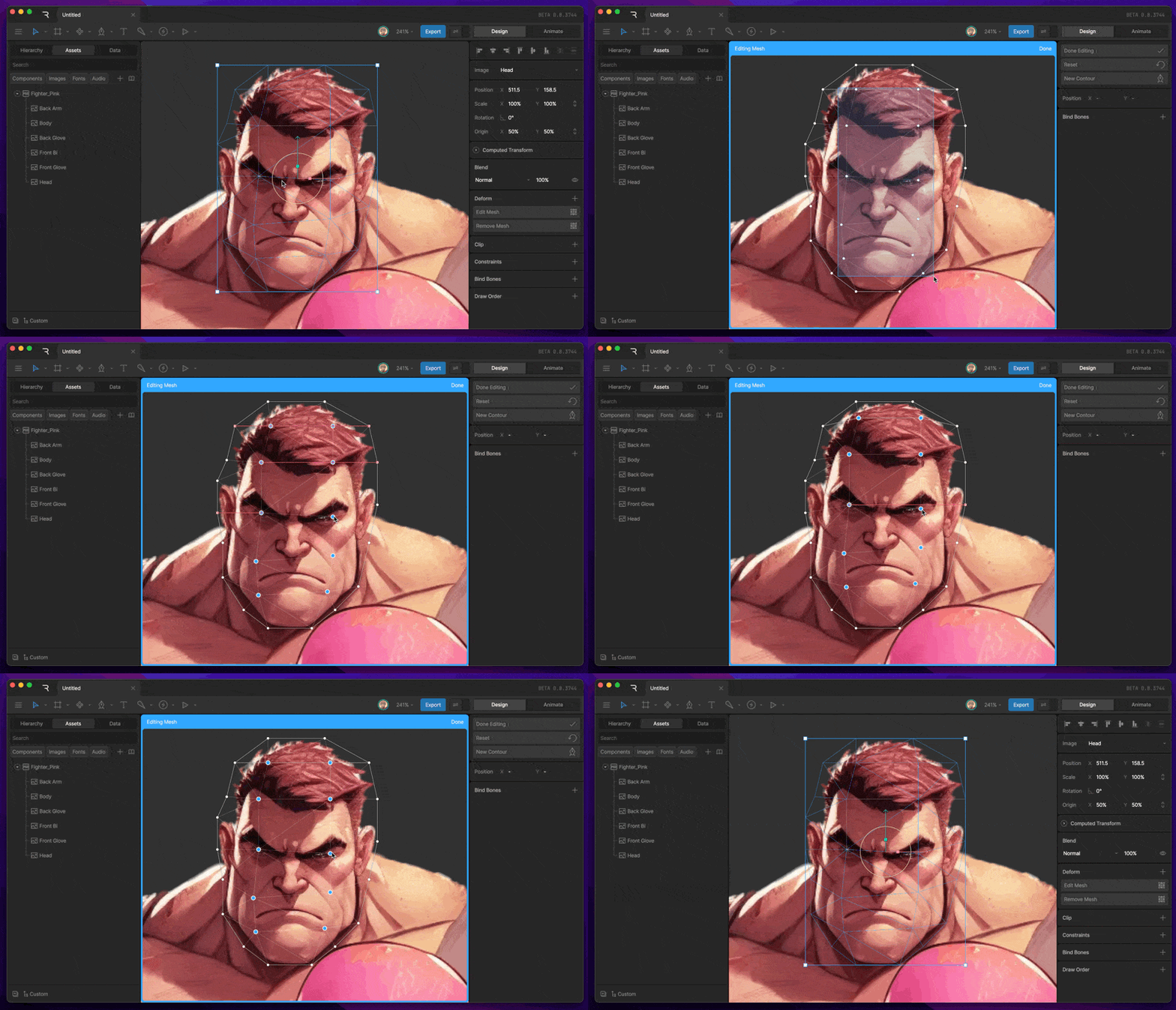
With the image selected, either hit the Enter key or navigate to the Deform section of the inspector, hit the plus button, then select mesh. You'll notice that a simple mesh is automatically generated for you.
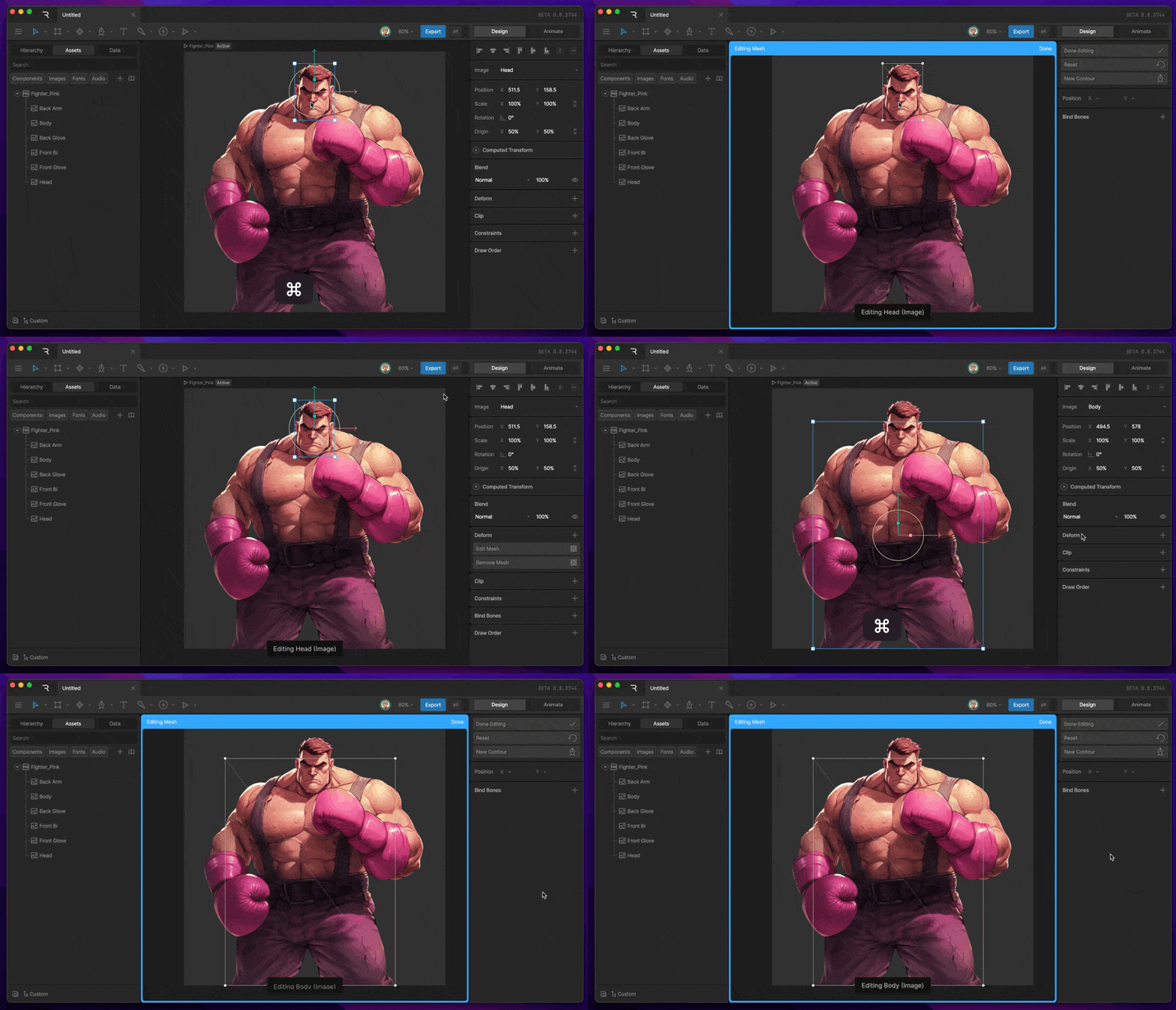 Use the New Contour button in the Inspector to begin creating a custom mesh for your object. Place vertices for your mesh with the Pen tool. Continuously click with the pen tool active to create forced edges (represented by a blue line connecting the two vertices), or hit escape between clicks to unlink the vertices.
 ## Edit Mesh
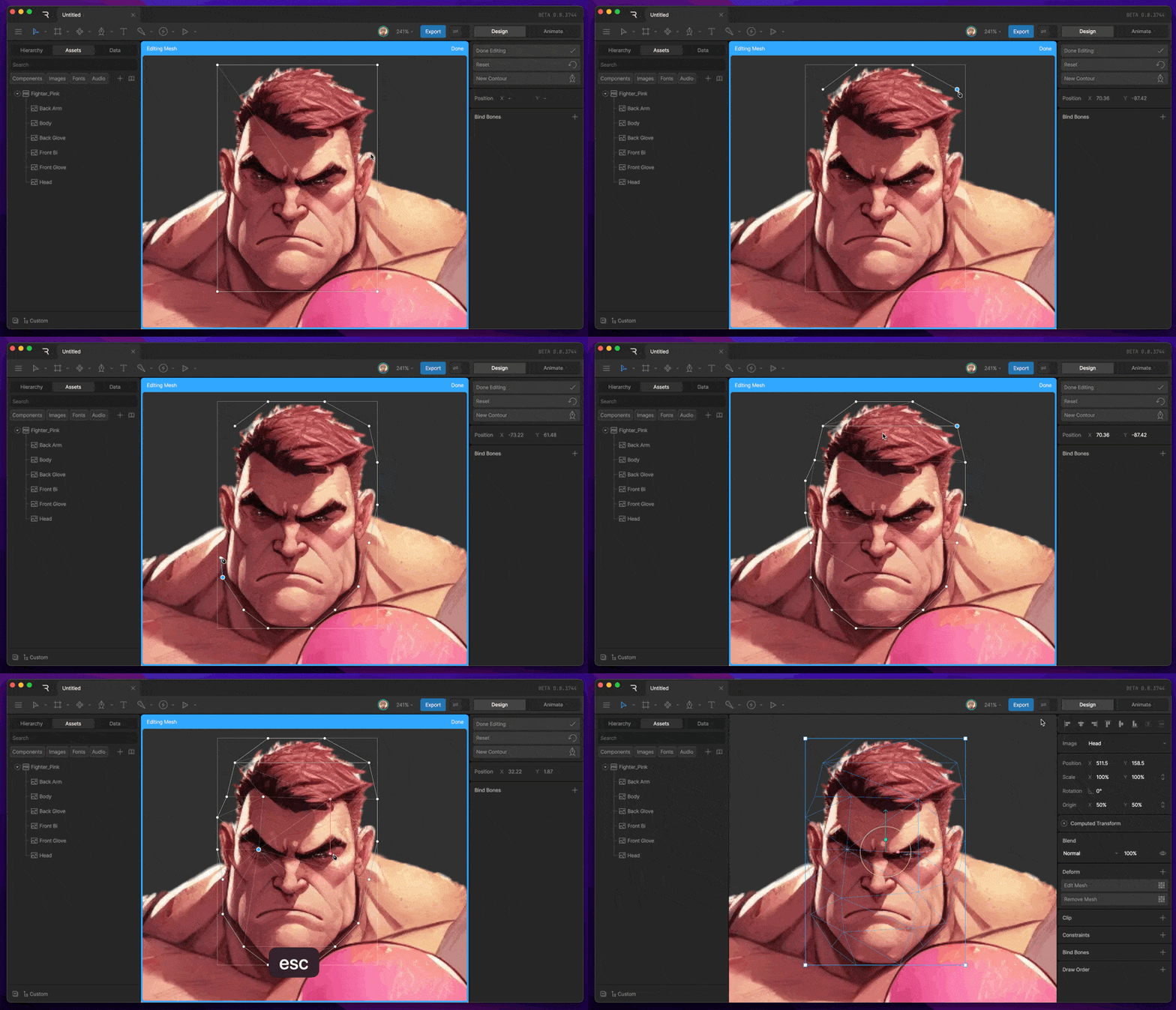
You can edit a mesh at any time by using the Edit Mesh button in the Inspector or by hitting enter with the asset selected. Use the Pen tool to add, subtract, or move vertices.
## Edit Mesh
You can edit a mesh at any time by using the Edit Mesh button in the Inspector or by hitting enter with the asset selected. Use the Pen tool to add, subtract, or move vertices.
 ## Mesh Deform
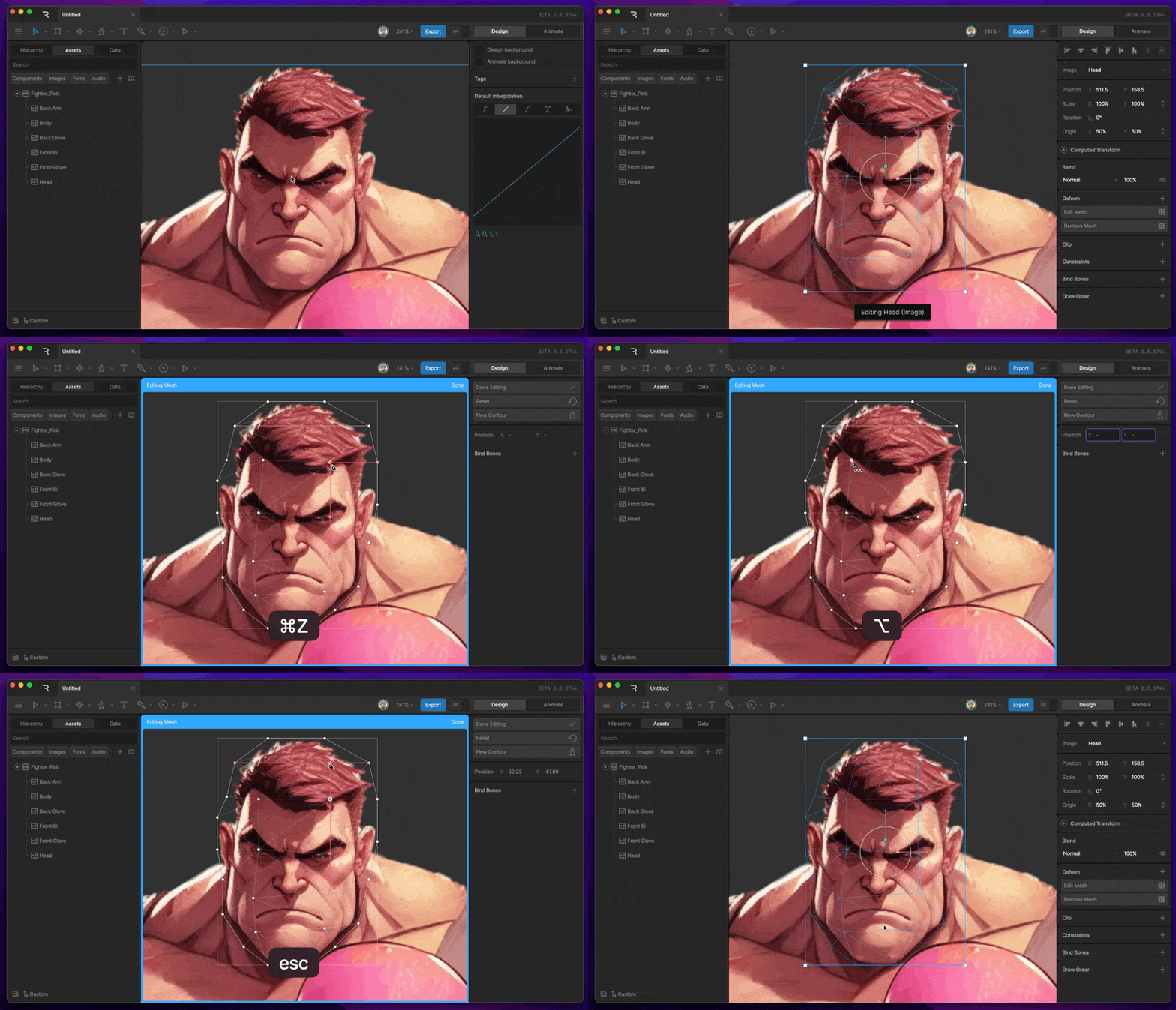
In both Design and Edit modes, you can deform your mesh by entering edit mesh mode, and moving a vertex with the select tool. For a more natural experience, consider using [bones](/editor/manipulating-shapes/bones).
## Mesh Deform
In both Design and Edit modes, you can deform your mesh by entering edit mesh mode, and moving a vertex with the select tool. For a more natural experience, consider using [bones](/editor/manipulating-shapes/bones).